
An Assessment Roll Number (ARN) is a 15, 19 or 20-digit number assigned by an MPAC (Municipal Property Assessment Corporation) Assessment Commissioner to an assessable property for identification purposes. MPAC assigns a separate assessment number for each property. This number appears on all notices issued by MPAC and the Assessment Review Board.
For example, 1904-031-200-01100-0000 represents:
- 19 – County or Municipal District
- 04 – City or Town
- 031 – Ward
- 200 – Area Subcenterision
- 01100 – Street Subcenterision
- 0000 – Plate number (formerly used in realty/business assessments)
ARNs are assigned by MPAC for property assessment and taxation purposes, while Property Identification Numbers (PINs) are assigned by the Land Registry Office (ONLand) for land registration and legal ownership purposes.
How to find the Roll Number of a property
The ARN can be found on the Property Assessment Notice (property tax) for the property.
Property you own: AboutMyProperty
Your own ARN and Access Key can be found on your Property Assessment Notice sent by your municipality, or you can request it at AboutMyProperty.
Nearby properties: AboutMyProperty
You can also find the ARN of residential properties using by searching AboutMyProperty by address and adding it to your Properties of Interest list:
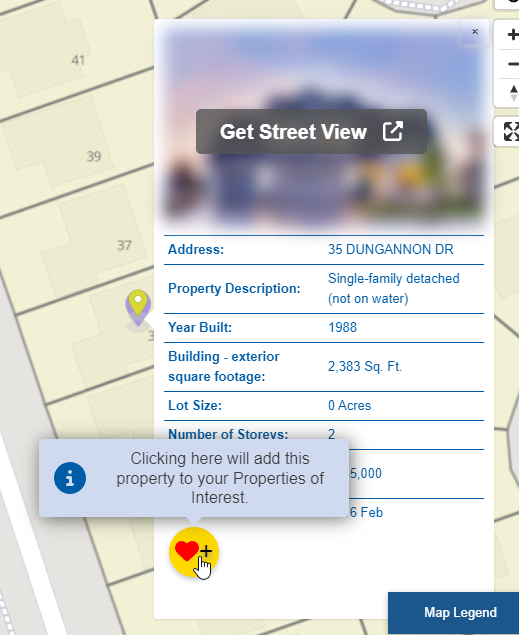
Favoriting the property:
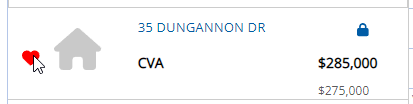
The Roll Number of the property, assessed value and other details will show up in your favourites list:
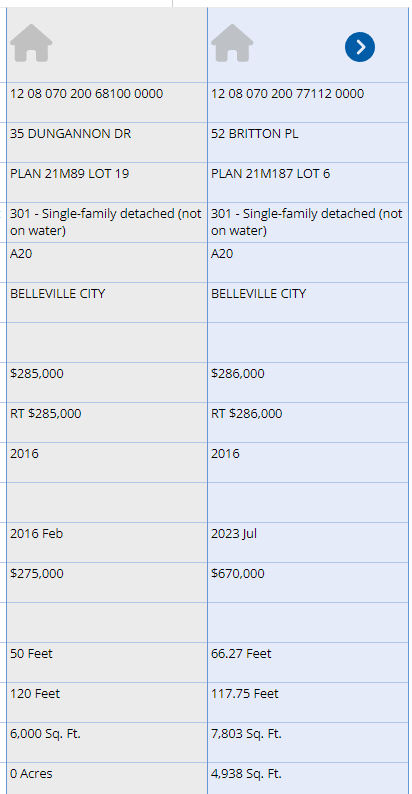
Ontario government maps
The Ontario government’s Ministry of Agriculture, Food and Rural Affairs’ AgMaps and Ministry of Natural Resources both maintain maps that include Assessment Parcel data and allow you to find Plan, Lot and Concession numbers, Roll Number and address of a property on a map:
- Find properties by searching for an address, intersection or place name
- Find the Address, Lot, Concession and ARN of a property
- Find properties by searching an ARN
Ministry of Agriculture, Food and Rural Affairs

- Visit AgMaps – Ministry of Agriculture, Food and Rural Affairs (wait a few moments for disclaimer to appear)
- Scroll down and accept the disclaimer
- Scroll in to the area of interest
- Click the Layers tab
- Click Select Map Layers
- To view Assessment Parcels, click + beside Parcels and check Assessment Parcel
- To view Township, Lot and Concession boundaries, click the + beside Administrative and check Geographic Township and Lots
- To get an address (if available), Latitude or Longitude, right click the highlighted area.
- To get the Lot, Concession and Roll Number and Township details, select the Point tool in the Layers menu and click on the property. The details will be listed on the left sidebar under the Identify Results tab.
You can also locate an Assessment Parcel by searching for its Roll Number using the Search by Location tool under the Layers tab:

Ministry of Natural Resources and Forestry
- Visit Make a Topographic Map – Ministry of Natural Resources and Forestry (wait a few moments for disclaimer to appear)
- Scroll down and accept the disclaimer
- Click the Search tab
- Click Search by Location
- Select
- Search for a Township & Lot/Concession on a map
- Search for a parcel by ARN
- Select the Township, Concession and Lot numbers from the drop downs and click Search
- To get an address (if available), Latitude or Longitude, right click the highlighted area.
Municipal maps
A growing number of municipalities have Geographic Information Systems (GIS) maps for parcels or zoning that allow you to find a property Roll Number by searching the map or for an address.
For example, the City of Belleville has a map of parcels and zoning that return the number:
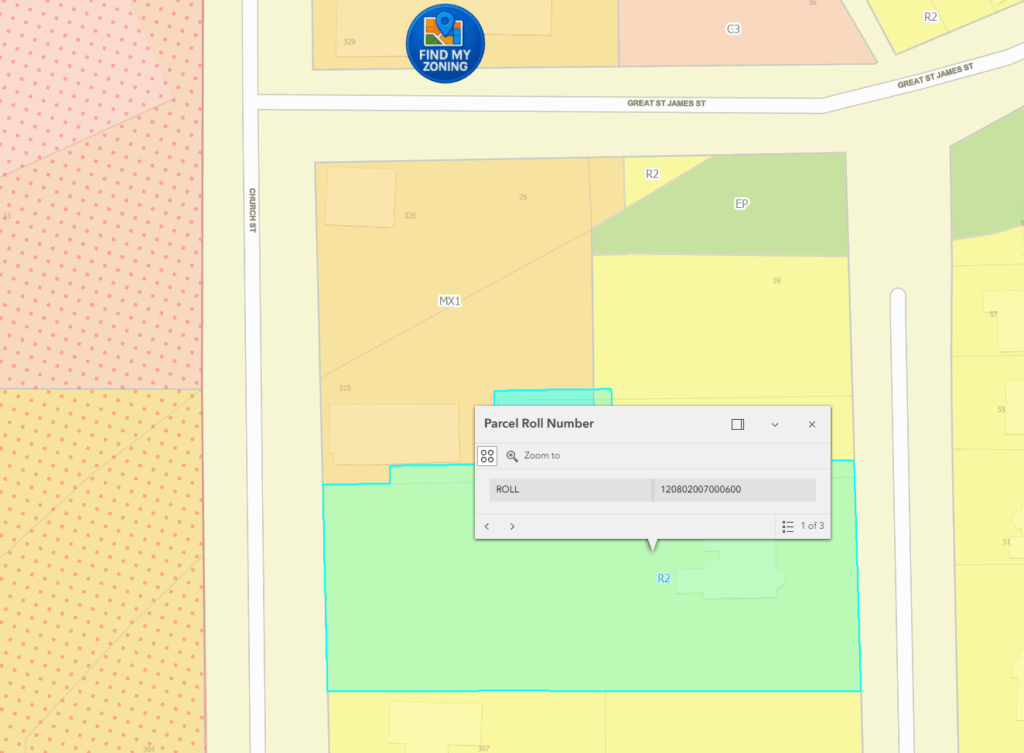
Other municipalities include:
These systems will often return property details including:
- Address
- Parcel location and shape
- Roll number
- Parcel ID
Municipal property tax portals
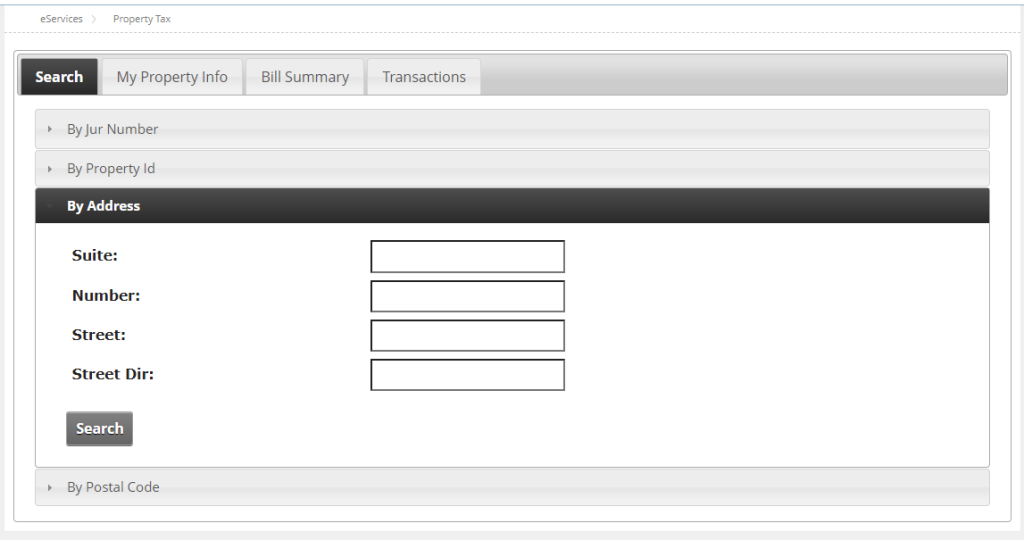
For example, Belleville has a Property Assessment Search Tool which allows you to look up a property ARN using an address:
Assessment Roll
MPAC gives each municipality an Assessment Roll, which must be available to the public for inspection in-person and is typically ordered alphabetically by street name. You can look up an ARN using street address.
MPAC Propertyline
MPAC’s Propertyline sells the ARN of a property for $3 and an Assessment Roll Report of a property for $14 as of 2025, which includes all the details except for the name of the owner:

You can search for a property by:
- Address
- Advanced Address Search
- Roll Number
- Geo Location
- PIN
You can also buy the assessed value, roll number, legal description and other property details individually for $3 to $10.



Comments
We want to hear from you! Share your opinions below and remember to keep it respectful. Please read our Community Guidelines before participating.